In this story
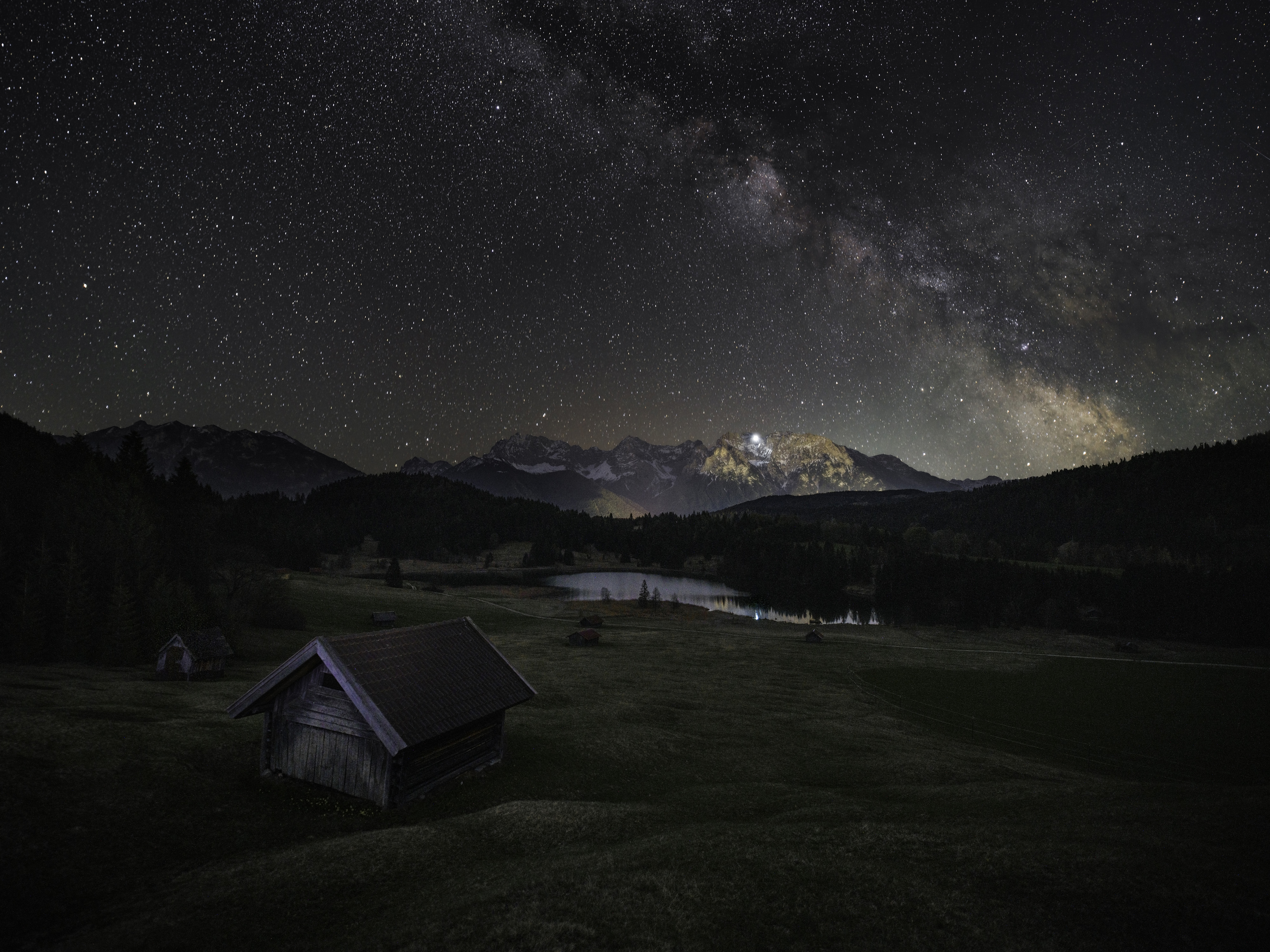
It is 22:40 in mid-June, somewhere with a clean view to the south. The last blue is draining out of the western sky. You have maybe fifteen minutes before the foreground - a ridge of pines, a lake edge, whatever you drove out here for - goes from "dim" to "invisible". And the part of the sky you actually came to photograph, the galactic core, will not be naked-eye for another hour.
This is the quiet problem at the heart of Milky Way photography in Europe: the composition has to be finished before the subject shows up.
Why the timing fights you
We went deep on why the core is a horizon subject in Europe - low, southern, and only up during true darkness. The short version: from mid-latitudes the core tops out around 15-22° of altitude, sits in the south, and you only get it in a genuinely dark sky. "Genuinely dark" is the catch. The core is faint. To see it well enough to know it is framed the way you want, you need the Sun a full 18° below the horizon. By the time that happens, the land in front of you is black.
So you end up composing in one of two bad ways. Either you set up during blue hour, while you can still see the foreground, and guess where the core will be an hour later. Or you wait until the core is visible and try to compose a foreground you can no longer see, by torchlight and memory. Most of us have done both, and re-driven to the same location three nights running to get it right.
The translation problem
Planning tools help, but they hand you numbers. "Core transits south at 01:10, altitude 19°, azimuth 184°." That is correct, and completely abstract. Standing on an actual ridge, nobody can convert "19° up, 184° round" into that gap between those two trees. A flat 2D map sees a clean compass rose; it does not know your horizon has a mountain on it. Star-chart apps will show you the core, but only once it is dark - which is exactly when you have lost the foreground.
Point the phone, see the night that is coming
That is what the new AR Sky view in Inverza 1.5 is for. Hold your phone up to the scene and it draws the Sun, the Moon, and the Milky Way core onto the live camera feed, anchored to where they actually are for your location and time. The North Star, the cardinal compass marks, and the horizon line are there too, so you always know which way you are pointing.
The part that solves the blue-hour problem is the time scrubber. Drag across the screen and time runs forward or back: the Sun drops, the sky tint shifts from gold to blue to black, and the core climbs out of the south-east and arcs across the south. You can stand there at 22:40 with the foreground still visible, scrub forward to 01:00, and watch the core slide into exactly the gap you were hoping for - or miss it, and tell you to move thirty metres left while there is still light to do it by.
Because it is drawn on the real terrain, the altitude and azimuth stop being numbers. You see the core clear your ridge, or not. You see whether the barn roof is going to cut straight through it. You plant the tripod, lock the composition, focus the foreground while you still can, and then simply wait for the sky to catch up to the preview you already saw.

A planning aid, not a survey instrument
One honest note. AR Sky points using the phone's compass and motion sensors, and phone magnetometers drift - near a car, a metal tripod head, or iron-rich rock they can be off by a few degrees. The overlay is built for planning a composition, not for polar-aligning a mount. If the markers look slightly rotated from reality, there is a Calibrate control in the menu: nudge the whole overlay left or right until the compass marks sit where north really is, and the bodies fall into line. Read it as "this is the gap the core will track through," not "the core will pass through pixel 1,204."
Where it fits in the plan
AR Sky is the on-location end of a chain you can start from your sofa. Pick a new-moon window and a site with a clean southern horizon. Let the Milky Way detector tell you whether that specific night is dark, clear, and core-up enough to be worth the drive. Then, when you are standing in the field at dusk, use AR Sky to lock the frame before the light goes.
And when it does go, a deep-red Night Mode keeps the screen from undoing your dark adaptation while you work. There is more to say about that, and about using the North Star lock to find true north for a star tracker - both in a follow-up post.
It is mid-June. The core crosses the meridian near midnight right now, at the best altitude it reaches all year. This is the season to use it. Point the phone, find your frame, and have the shot composed before the sky even shows you why.
